Loaded Latency & Working Ping Speed Test: How to Measure and Eliminate Bufferbloat (RPM Guide)
Why does your ping jump from 12 ms to 300 ms whenever someone downloads a file? Demystifying loaded latency, Round-trips Per Minute (RPM), Apple networkQuality, and how to calibrate router SQM to maintain gaming-grade ping under heavy load.
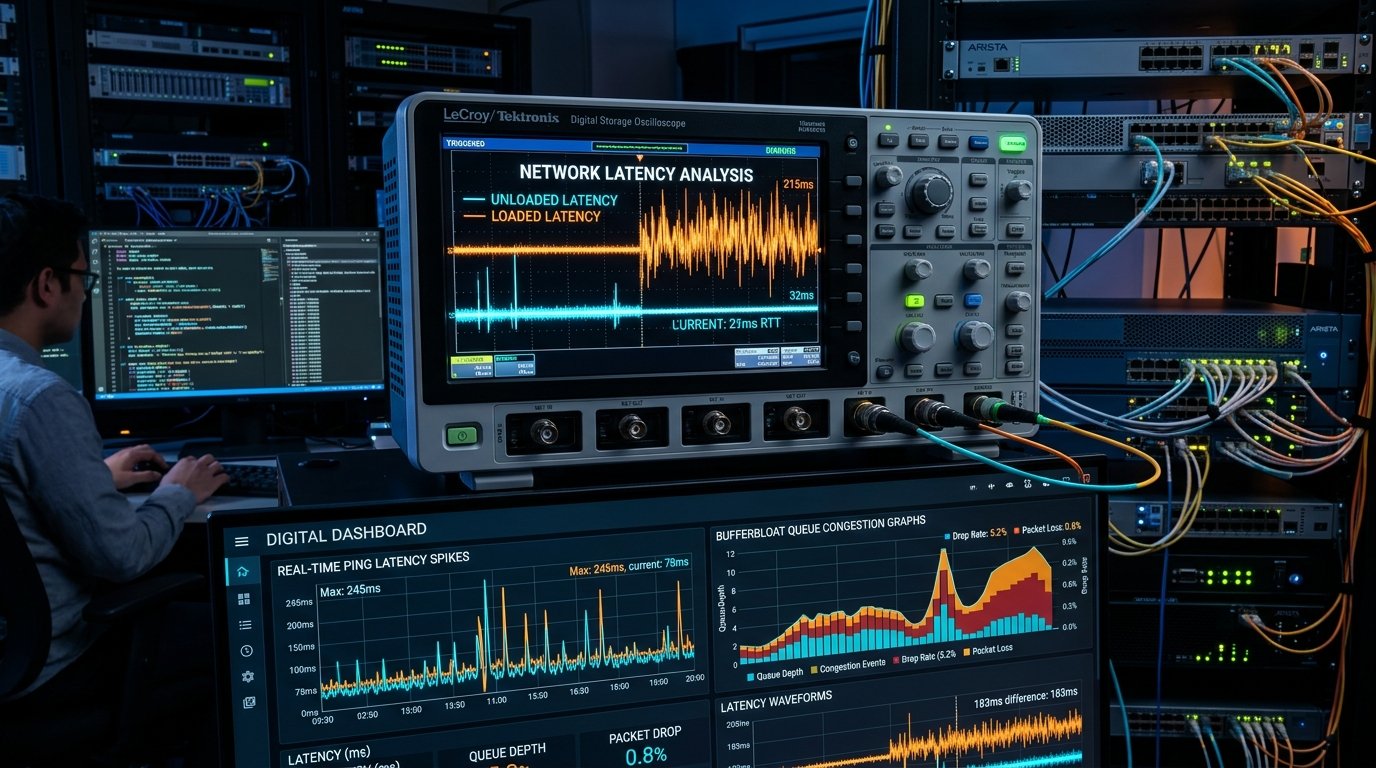
For over two decades, the telecommunications industry has conditioned consumers to judge internet quality by a single metric: raw megabits per second (Mbps). Yet millions of households with expensive 500 Mbps and 1,000 Mbps fiber plans suffer from stuttering Zoom meetings, glitching FaceTime calls, and unbearable gaming lag spikes. The reason? Traditional speed tests only measure unloaded (idle) latency. The metric that truly determines your online experience is loaded latency (also known as working latency or responsiveness under load).
When your internet connection is idle, a lightweight ICMP ping packet slips through the pipe effortlessly in 10 to 15 milliseconds. But what happens to that same packet when another family member begins streaming 4K Netflix, uploading a cloud backup, or downloading a game update? If your router suffers from bufferbloat, your ping can violently spike to 300 ms, 600 ms, or even 1,200 ms. In this engineering guide, we dissect how loaded latency works, examine the new IETF/Apple Round-trips Per Minute (RPM) standard, and demonstrate how to eliminate lag under load.
1. Unloaded Latency vs. Loaded Latency Explained
- Unloaded (Idle) Latency: The round-trip time (RTT) required for a small packet to travel from your device to an edge server and back when no other data transfer is taking place. This represents the absolute physical floor determined by distance and light propagation through fiber optic glass.
- Loaded Download Latency: The latency measured while your connection's download capacity is intentionally 100% saturated by multiple concurrent TCP streams. It measures how effectively your router schedules incoming data packets without letting real-time packets queue up behind heavy transfers.
- Loaded Upload Latency: The latency measured while your upload capacity is 100% saturated. Because residential broadband upload channels are frequently narrower than download channels, bufferbloat is most severe during heavy uploads.
2. What Is RPM (Round-trips Per Minute)?
Recognizing that non-technical users find milliseconds confusing, Apple, network engineers, and the Internet Engineering Task Force (IETF RFC 9049) introduced RPM (Round-trips Per Minute) as the universal metric for network responsiveness. Similar to revolutions per minute in an automobile engine, RPM measures how many interactive transactions your network can complete per minute while fully loaded:
| RPM Tier | Loaded Latency Equivalent | Responsiveness Rating | Real-World User Experience |
|---|---|---|---|
| > 2,000 RPM | < 30 ms loaded ping | Grade A+ (Elite) | Competitive esports, flawless 4K video calls, instant web page rendering even during massive file uploads. |
| 800 \u2013 2,000 RPM | 30 ms \u2013 75 ms loaded ping | Grade A (Good) | Smooth streaming, minimal game stutter, clean VoIP calls with minor jitter during peak network congestion. |
| 300 \u2013 800 RPM | 75 ms \u2013 200 ms loaded ping | Grade B/C (Moderate Bloat) | Noticeable video call freezing when someone starts downloading; noticeable gaming rubber-banding. |
| < 300 RPM | > 200 ms to 1,500 ms | Grade F (Severe Bufferbloat) | Online games become unplayable; Discord audio robotizes; web browsing stalls completely during downloads. |
3. How to Test Loaded Latency on WRLDU
You can measure your unloaded and loaded latency directly in your browser using the WRLDU Internet Quality & Bufferbloat Assessment Tool:
- Baseline Idle Phase: The test first transmits 20 micro-pings to establish your baseline unloaded RTT (e.g.,
14 ms). - Download Saturation Phase: While opening aggressive multi-socket HTTP download streams to saturate your downstream pipe, continuous latency probes are fired. The delta between your idle ping and loaded download ping represents your downstream bufferbloat.
- Upload Saturation Phase: The test uploads high-density payload chunks to saturate upstream bandwidth. If your ping spikes from
14 msto280 msduring this stage, your router's upstream FIFO (First-In, First-Out) queue is excessively oversized. - Bufferbloat Rating: You receive an instant diagnostic grade ranging from A+ (Lag-Free) to F (Critical Lag) with actionable optimization recommendations.
4. How to Eliminate Bufferbloat: Smart Queue Management (SQM)
Standard home routers use dumb Tail-Drop FIFO buffers. When traffic surges, the router fills up large memory buffers to avoid dropping packets. But packets sitting in a buffer wait for hundreds of milliseconds before being transmitted, creating catastrophic latency spikes.
The definitive engineering solution to bufferbloat is Smart Queue Management (SQM), specifically using modern algorithms like CAKE (Common Applications Kept Enhanced) or FQ-CoDel (Fair Queuing Controlled Delay):
- Flow Isolation: FQ-CoDel isolates different network connections into separate virtual queues. A heavy 100 GB game download gets its own queue, while your live voice chat and gaming inputs get priority in separate, empty queues.
- Active Queue Management: When a queue begins building latency beyond 5 ms, the router deliberately drops or marks (ECN) a tiny fraction of packets. This signals TCP to back off slightly before buffers overflow.
- Configuring SQM on Your Router:
- Log in to your router gateway (e.g., OpenWrt, ASUS-Merlin, pfSense/OPNsense, or Ubiquiti UniFi).
- Navigate to QoS / Smart Queue Management.
- Set algorithm to CAKE (recommended) or FQ-CoDel.
- Set your bandwidth limits to 90%\u201395% of your measured speed on WRLDU Speed Test. Sacrificing 5% of peak bandwidth prevents your ISP modem's unmanaged buffer from ever filling up!
5. Summary Takeaways
High speed test numbers mean nothing if loaded latency is broken. By benchmarking your loaded ping and enabling Smart Queue Management, you transform an unstable connection into an ultra-responsive, low-jitter network engineered for competitive gaming, crystal-clear conferencing, and high-concurrency smart home performance.
Editorial note: figures and ranges in this article are typical values compiled from vendor specifications, standards documents, and general industry references. They are illustrative and are not laboratory measurements made by WRLDU, so your own results will differ. See our Editorial Policy for how we write and update guides.